

How it works
Valyu provides a single Search API that lets you search across Wiley’s finance content using natural language queries. You send a query, and the API returns relevant passages from Wiley finance papers and books. These results can then be fed directly into an AI model as context for generating answers, analysis, or reports.POST /v1/search with the source IDs below.
You can test this in four ways:
- No code - Use the Search API Playground in your browser
- Python - Use the Python SDK (
pip install valyu) - JavaScript - Use the TypeScript SDK (
pnpm add valyu-js) - Any language - Call the REST API directly with cURL or any HTTP client
Available datasets
Check your organization’s access in the platform. Coverage is specific to these collections, not every publication by Wiley. There are two Wiley finance datasets available through Valyu:
You can search one or both datasets in a single query. To search both, include both source IDs.
What you get
Each search result contains:How to test in the playground (no code required)
The fastest way to test Wiley finance content is through the Search API Playground. No code or SDK installation is needed.1
Open the Search API Playground
Go to platform.valyu.ai/playground/search.You can also open the playground with Wiley datasets pre-selected using this direct link:If you use the direct link above, the Wiley datasets will already be selected and you can skip to Step 4.
2
Open Advanced Settings
On the left side of the playground, click Advanced Settings to expand the settings panel. This is where you select which datasets to search.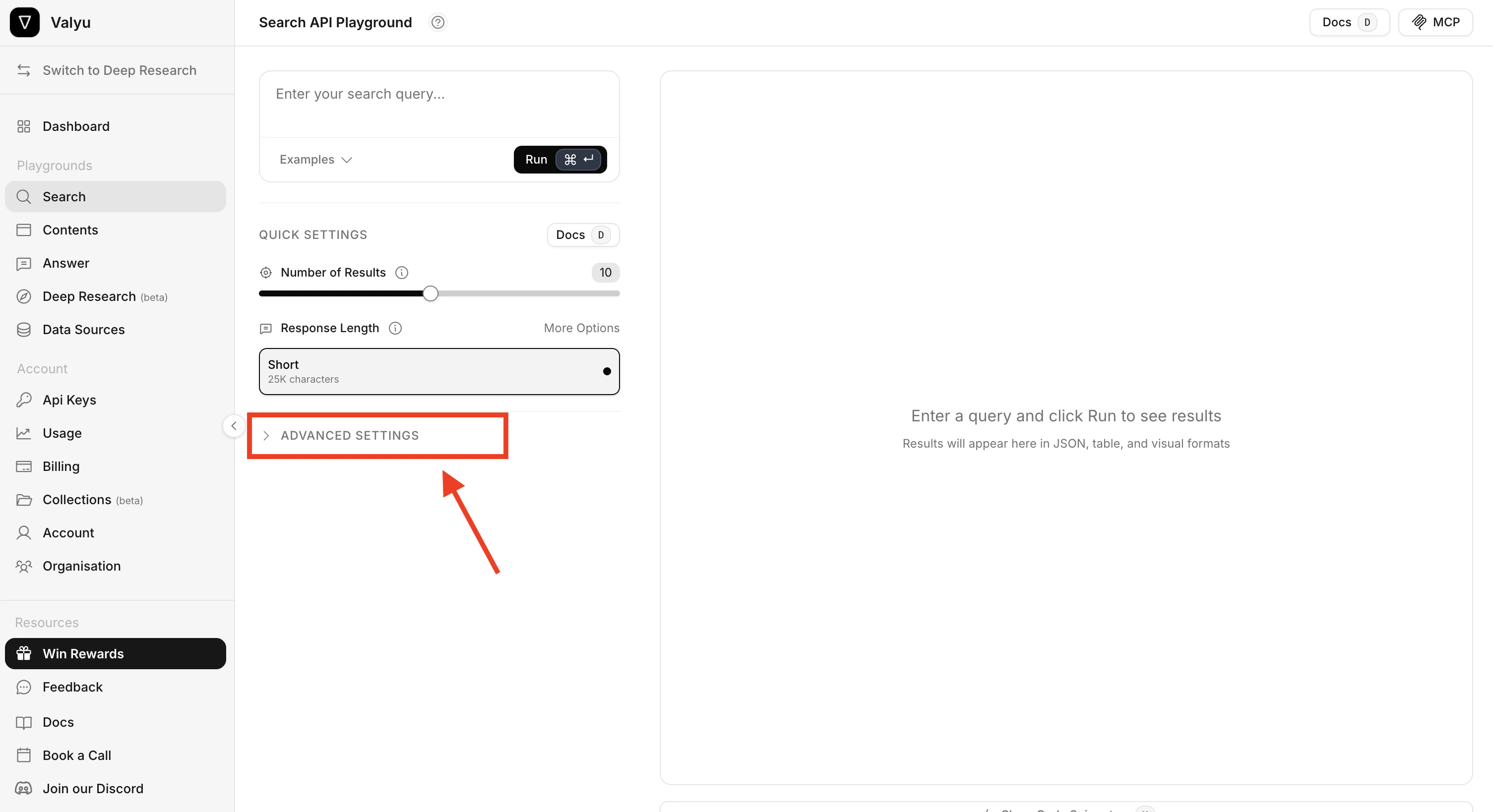
3
Select the Wiley datasets
Click Included Datasets at the top of the panel. In the dataset selector, find and select: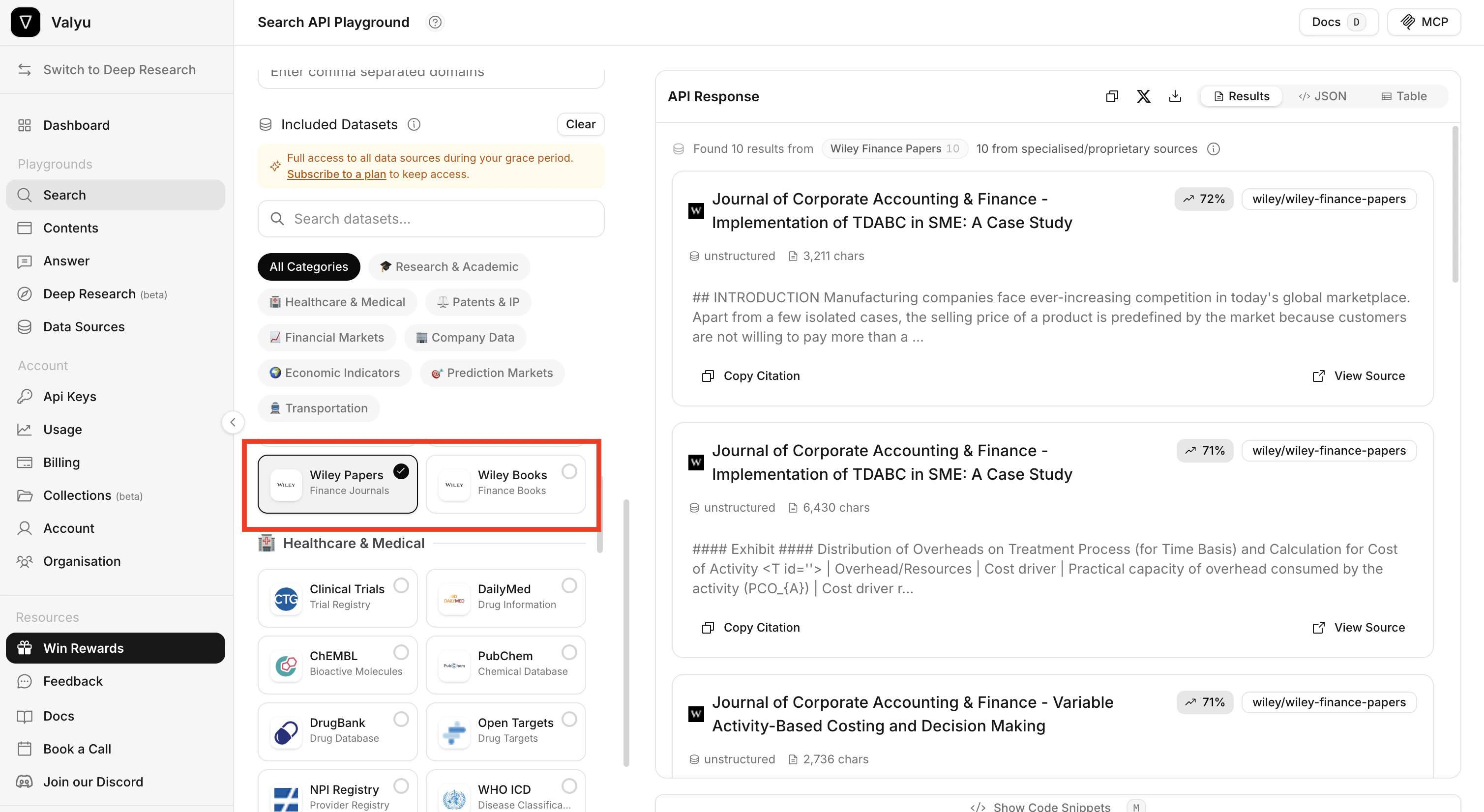
- Wiley Papers (Finance Journals)
- Wiley Books (Finance Books)
4
Enter a query and click Run
Type a natural language query in the search box at the top and click Run. For example:The results appear on the right side. Each result shows: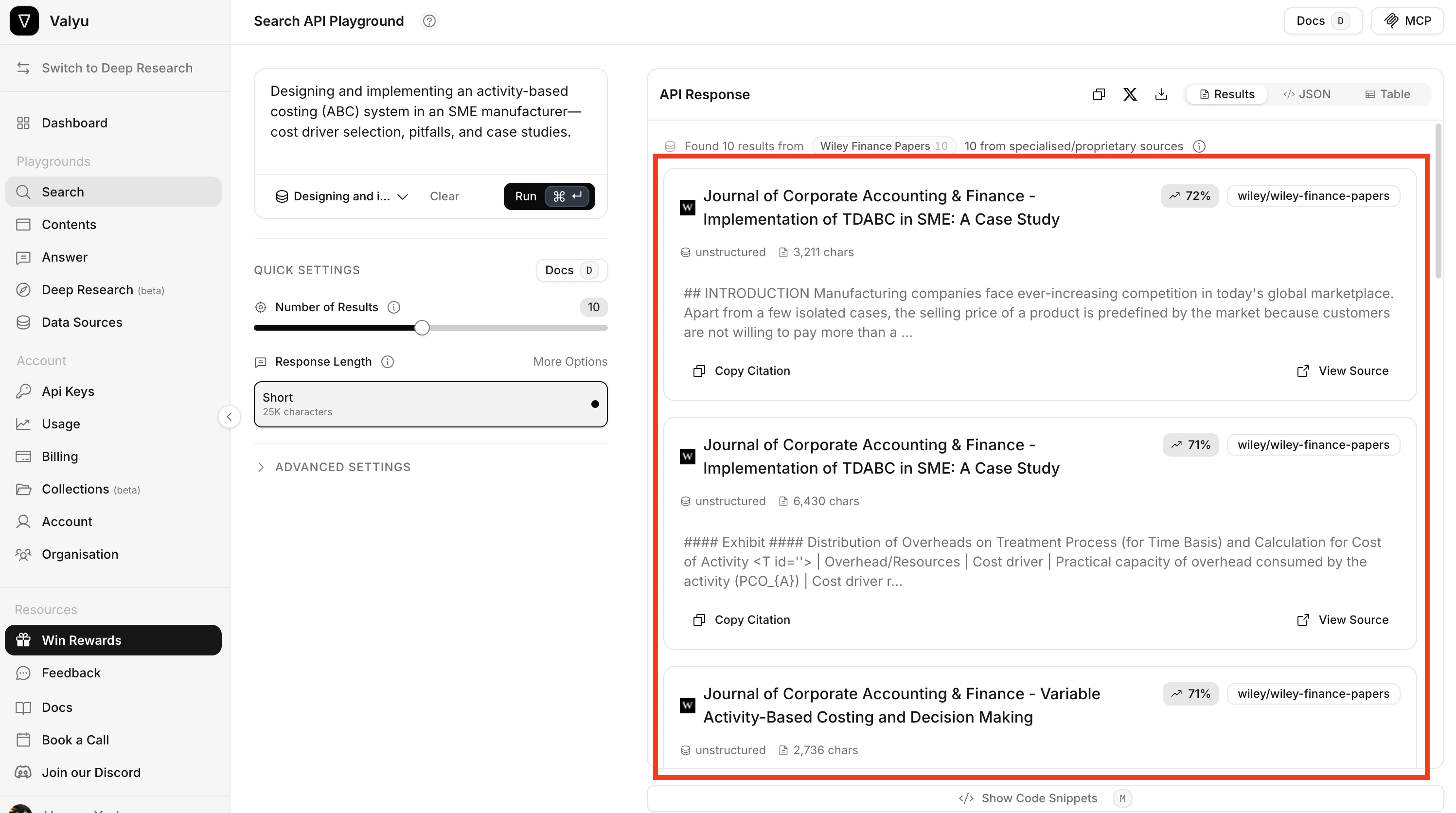
- The title of the paper or book chapter
- A relevance score
- The source (e.g.
wiley/wiley-finance-papers) - A content preview of the matched text
- Options to Copy Citation and View Source
How to use the API directly
CallPOST /v1/search with the desired Wiley source IDs.
Using cURL
Key parameters
Use
included_sources to scope the search to the Wiley datasets. Omit it and the search returns results from every dataset you have access to, not just Wiley.How to use the Python SDK
With your SDK installed and API key set:How to use the JavaScript SDK
With your SDK installed and API key set:Example queries
Below are example queries that work well with Wiley finance content. You can use these in the playground or through the API.Finance books (methods and reference)
Finance papers (empirical research)
More example queries (both datasets)
Use cases
- Quantitative research - Access methodologies for derivatives pricing, portfolio optimization, and risk modeling from peer-reviewed journals
- Investment analysis - Search textbook content on valuation frameworks, financial modeling, and fundamental analysis
- Academic literature review - Find relevant papers in the available finance journal collections
- Risk management - Access chapters on VaR, credit risk, and portfolio risk budgeting from authoritative textbooks
- Financial modeling - Reference Excel-based modeling techniques and quantitative methods from Wiley finance books
- Research applications - Retrieve relevant passages as context for cited answers and analysis.
API reference
For complete API documentation, see:- Search API Reference - Full parameter documentation for the Search endpoint
- Python SDK - Search - Python SDK usage guide
- TypeScript SDK - Search - TypeScript SDK usage guide
Relevant links
Financial services
Company profiles, competitor comparisons and filing analysis
Wiley Health & Life Sciences
The licensed biomedical corpus, with the same retrieval model
Academic use case
arXiv, preprints, and open scholarship
Data coverage
Source families, access requirements and coverage boundaries